
This piece is for someone who runs an Italian SME, already has an accounting system (or an ERP / CRM), and keeps hearing “we’ll connect the AI”. It is not a programmer’s manual.
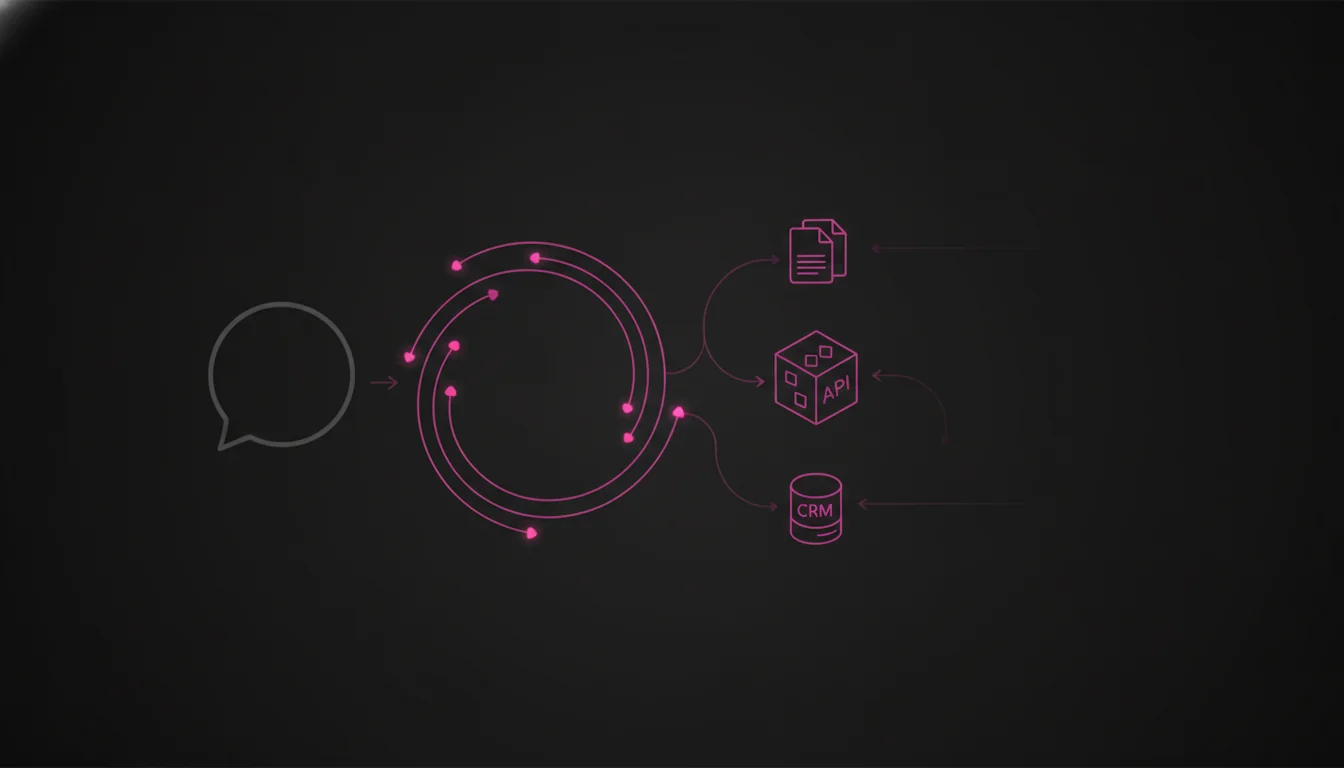
Connecting an AI agent to the accounting system means deciding three things: which data it touches, whether it only reads or also writes, and which channel to use (official interface, files, or screen clicks). It does not mean “plug ChatGPT into SAP”. If the software has no official interface, this line often pushes the project toward €35,000–€60,000. If one or two documented connections exist, it stays in the €15,000–€35,000 band for an agent in production. Not a Zendata price list: 2026 market orders of magnitude.
An agent is not a chatbot with a cable. The difference is in AI agents vs chatbots. When you need one versus click automation (RPA): AI agents for companies.
Who should read this (and who should not)
Yes, if you run TeamSystem, Zucchetti, a vertical package, Dynamics, SAP, or a CRM, and a vendor promised “AI on the accounting system”.
No, if you want coding steps, an ERP migration, or a review of accounting products.
The useful question is not “do you integrate with our system?”. It is: which invoices, customer records, or quotes must the agent see, and may it only read or also post?
What you actually connect
You do not connect “the ERP”. You connect a few work objects.
A concrete example: every Monday finance wants the list of customers with invoices older than 60 days, with amount and owner. The agent must read due dates. It must not mark invoices as paid.
| What it touches | Read only | Also write | Watch out |
|---|---|---|---|
| Customer / supplier records | usually yes | duplicate risk | medium |
| Invoices and due dates | yes, typical first case | “mark paid” is high risk | high if it writes |
| Quotes and orders | sometimes | posting an order is high risk | high |
| Tickets or jobs | sometimes | depends | medium |
| PDFs in the archive | if permissions are clear | usually no | privacy |
If nobody on the call can name which screens or which data, you do not have a project: you have a slogan.
The three honest ways (in plain language)
API means application programming interface: an official channel for one program to talk to another, without pretending to be a person. Prefer this when it exists. Dynamics 365 and modern SAP modules document it. Many Italian packages have partial APIs, old ones, or none.
File export. The system dumps an Excel/CSV/XML at night. The agent works on that file. A person checks and, if needed, types into the system. It is not elegant. It is clear, repeatable, and often the honest first step when there is no API.
RPA (robotic process automation): software that repeats an operator’s clicks. It only makes sense if the clicks never change and no API exists. It breaks when a screen or a pop-up changes. The agent, if needed, calls that robot: it does not “look at the screen” like a person.
| How you connect | When it makes sense | Weight on the budget | How fragile |
|---|---|---|---|
| Official API | the software has one; you know what to read/write | stays in the €15–35k band | low |
| File + human check | no API, or writes are too risky | low–medium | low |
| RPA (clicks) | identical clicks only, no API | high over time (maintenance) | high |
A plugin that “sees” the system through screenshots is not an integration. You cannot tell who did what, you cannot remove a permission, you cannot undo a mistake.
What the agent may do (and what it should not, at first)
Think in four levels, from safest to most dangerous:
- Reads: open invoices, customer records, PDFs.
- Prepares a draft: a list, a draft order, text for someone to sign. It posts nothing.
- Writes in the system: creates or updates a record. On the first go-live, after a person says yes.
- Sends outside: email, certified mail, e-invoicing. Almost always out of the first project.
The agent needs its own technical user, not the office admin password on a sticky note. Otherwise a salesperson can see data they should not (salaries, if a spreadsheet landed in the index). Same idea in AI agents for companies.
Why two quotes on the same system are twice apart
Aligned with the 2026 cost piece:
- There is no API (or nobody knows). You must rebuild, export, or automate clicks.
- From “show me” to “you post it”. Creating an order or a payment is not the same as reading a due date.
- Messy data. Duplicate records, free-text reason codes, scanned PDFs. On a real job of about 16,500 invoices, rules alone closed about 41% of matches; with assisted AI about 61%. The agent belongs after rules and a human queue, not instead of them (how to measure ROI).
- No test environment. You work in production in the dark.
- No trail. Who approved, which record, which instruction.
Two documented APIs rarely blow the price. “We’ll look at the system on a call” does.
Seven questions before you sign
- What is the product name, and which version?
- Is there an official interface, or only screens and exports?
- Which one, two, or three data types are in play — read or write?
- Does the agent have its own user, or someone else’s password?
- Is there a test environment with realistic data?
- Who approves writes in the first two months?
- Which logs will you keep (for you and, where needed, for the AI Act / GDPR)?
If the vendor says “we integrate with any ERP” and does not ask the version, you are buying a demo.
FAQ
How do you connect an AI agent to an SME accounting system?
API if it exists; otherwise a file plus a person, or RPA only on identical clicks. Say what it reads and what it may write.
Who is this for?
For someone who decides in an SME and already has an accounting system. Not for developers and not for people choosing an ERP.
Do you need the official SAP or Dynamics connector?
No. You need name, version, which data, and a real channel.
Are agent and RPA the same?
No. RPA repeats clicks; the agent follows a goal. RPA is often only the arm.
What does it cost?
Usually €15–35k if APIs exist; toward €35–60k if it is legacy and must also write. Detail: how much a custom AI agent costs (2026).
Can it issue invoices alone?
On a first project, usually no. Drafts yes; posting after a person.
Sources
- Microsoft Learn: Dynamics 365 — how Microsoft documents APIs, not an “agent vs ERP” price list.
- SAP Help Portal — APIs on modern products; not every SME install has them.
- OpenAI: API pricing — tokens stay secondary to connection work.
- Regulation (EU) 2024/1689 — rules on the system, not on the word “agent”.
- Zendata experience on partner projects (6–12 weeks on a closed scope) and on an invoice-matching job (~16,500 records).
More in the series
- How much a custom AI agent costs (2026)
- AI agents for companies: what they are, examples and cost
- MCP vs A2A: AI agent interoperability
- Build, buy, or partner
- From pilot to production
- Data readiness for AI
If you already have the product name and version, one call is enough to see whether the first step is “read only” or whether someone is selling too much autonomy. info@zendata.it
Pietro Ciattaglia, CEO of Zendata AI, Rome